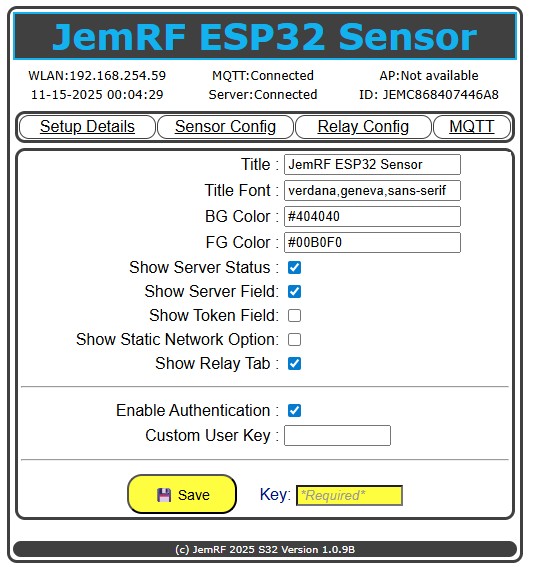
The JemRF WiFi Pro Devices support White Label Option
The WiFi Pro series supports a private control panel. The hidden control panel provides customization of the sensor or gateway when viewed on the regular sensor control panels.
Option allow:
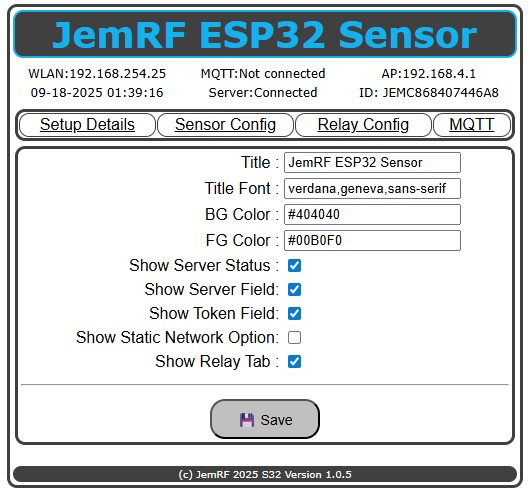
- Customizing the banner words and title at the top, including foreground and background colors.
- Hiding the Server Status in the banner area at the top of the page
-
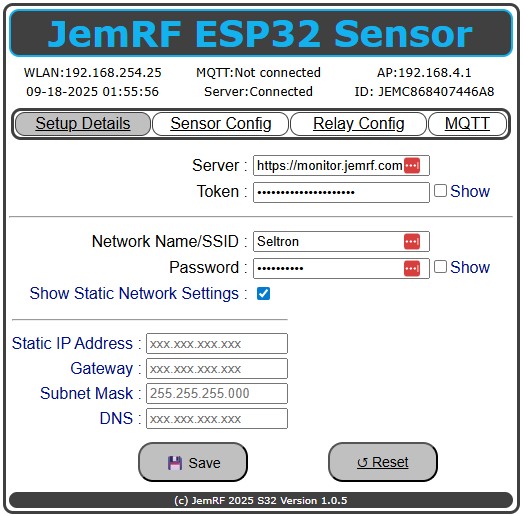
Hiding the Server URL if not used
- Hiding the Token field
- Or it can be set and then hidden from your customers if used else leave blank before hiding
- Hiding or showing the options to set the network address manually
- Enable Authentication on Setup, Sensor Config and MQTT control panels
- Enable or hide the Relay Config Tab if not needed(if device has option).
- Enter a Custom User Key (Must be 10 characters)
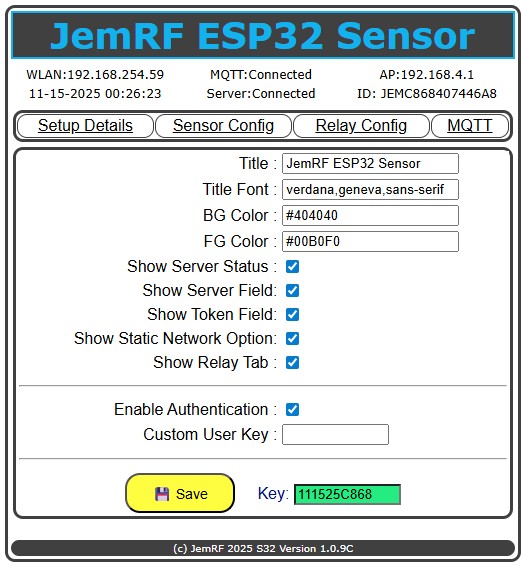
At the bottom is the field for the Authentication Key.
The default is the MMDD plus the last to digits of the Year plus the 4 characters of the Device Id after JEM
\Example:
Date is 11-15-2025 00:13:25
ID: JEMC868407446A8
The resulting default Key would be 111525C868.
The default Key is base on the Sensor date and changes each day.
The image below shows the White Label Option page.
The next image shows all the different fields that can be shown or hidden using Whitelabel option 1-7.
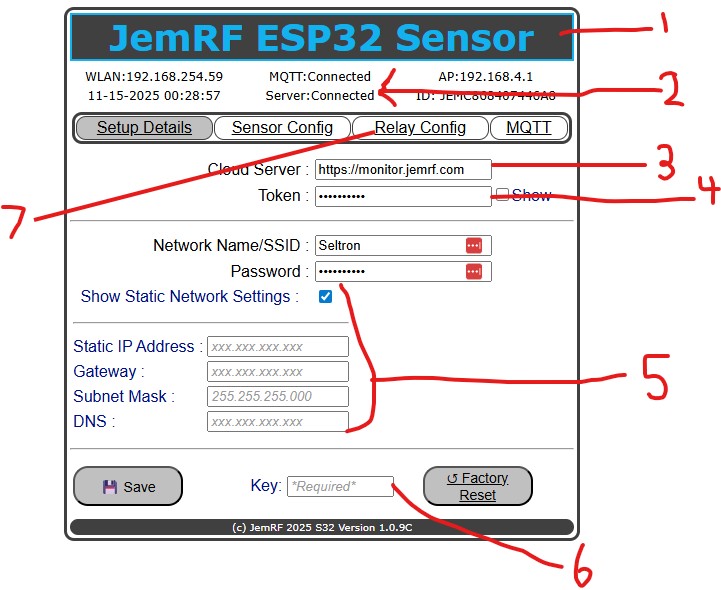
The image below displays the default Setup Details tab, which includes all available options.
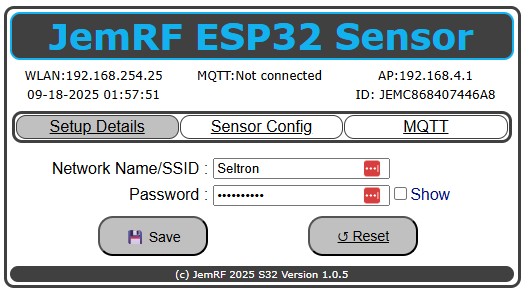
With all the options set to hide, the Setup Details tab is set to minimal, and the Relay Tab is gone
The Key field will turn Yellow when there is a change that needs the Key to authorize. When the correct Key is entered and you click off the Key field it will be validated and turn Green if Ok and Red if incorrec.