Introduction
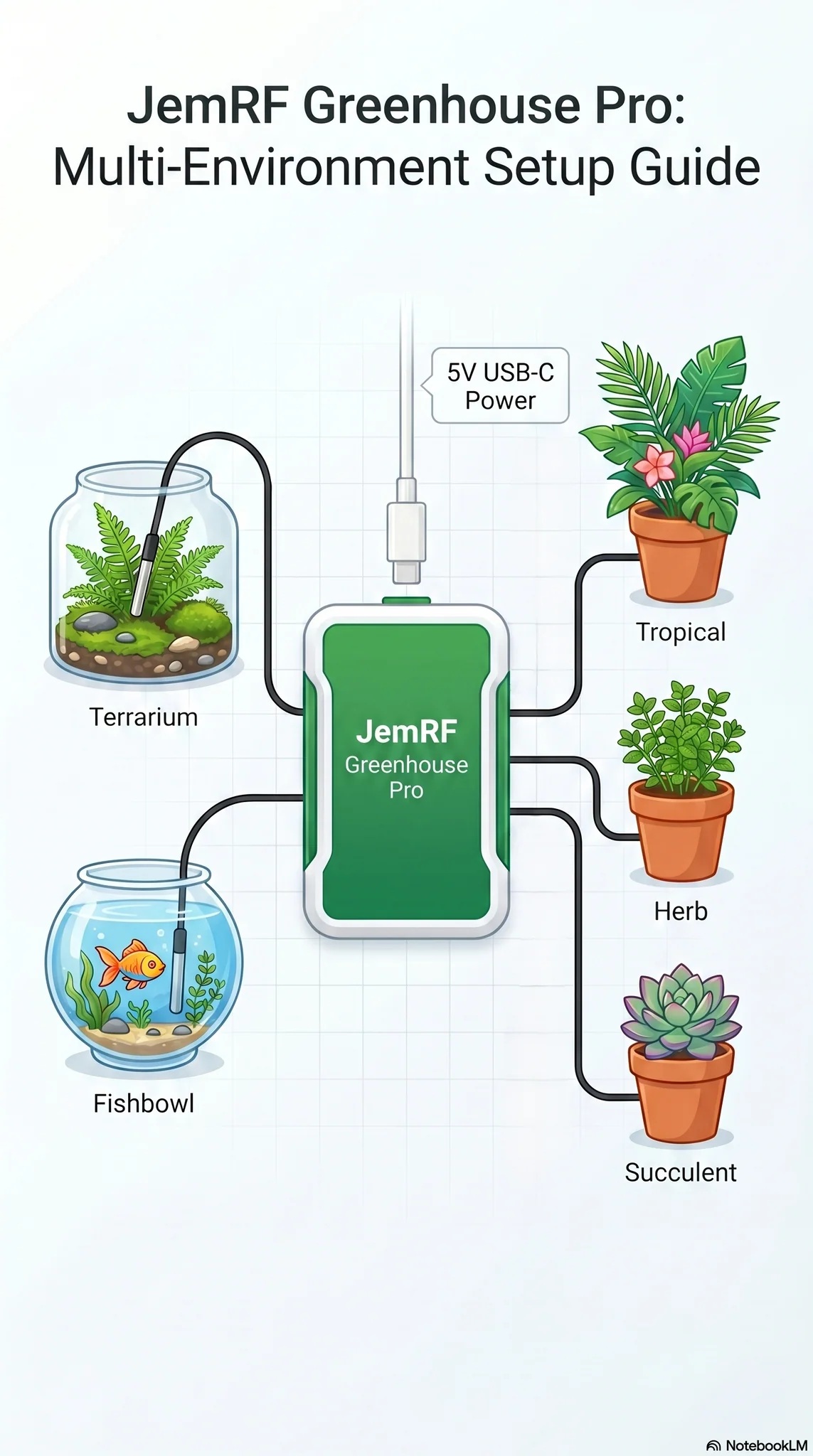
Take complete control of your growing environment with the WiFi Greenhouse Monitor: a multi-sensor device tailored specifically for greenhouse usage and ready to be incorporated into your setup. Equipped with an onboard temperature and humidity sensor alongside two external temperature probes, this device lets you monitor crucial greenhouse extras, such as soil beds, water reservoirs, root zones, or isolated microclimates. Complementing this environmental tracking, three dedicated soil moisture sensors give you multi-plant visibility, helping you maintain optimal hydration, prevent over watering, and boost overall plant health.
It supports secure, seamless communication with the Monitoring Cloud Server or popular home automation platforms like Home Assistant. Setup is completely hassle-free with zero soldering required. Simply connect it to power, and the unit advertises itself as a wireless access point for easy configuration directly through your mobile or desktop web browser. Once connected to your Wi-Fi network, it delivers instant internet connectivity, giving you direct access to remote data requests, your MQTT broker, and live server monitoring—keeping your greenhouse thriving from anywhere.
Quick Start
Follow the WiFi Green House Monitor is a member of our WiFI Pro series of devices. Details are here for Getting Started.
Features:
- Easy to configure web interface. No programming or soldering skills required. You do not need the internet to configure the device. Connect to it directly from any Wi-Fi device (e.g., PC, phone, tablet).
- Connects to your local 2.4 GHz WiFi to access the Internet
- Updates the remote monitoring services at user defined update interval.
- Send updates to JemRF Monitoring or an MQTT Broker
- MQTT Setup page for connection to the MQTT Broker to relay motion, temperature and humidity readings.
- MQTT Home Assistant Auto-Discovery supported.
-
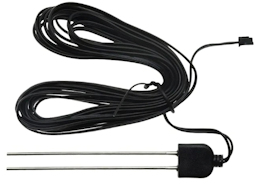
Low-crossion Moisture Probes with 1.3 m extended cables for longer lifetime and reduced maintenance. Readings from 0 to 100%
- Has internal HTU21D Temperature and Humidity sensor to monitor the room conditions. Measures temperatures from -40°C to +80°C. The Fahrenheit equivalent is -40°F to +176°F, with a ±0.5°C accuracy—measures humidity from 0-100%RH with 2% across the range.
- There are also two external DS18B20 temperature sensors to monitor liquid systems, such as hydroponic systems. They are accurate (±0.5°C) from -40°C to +80°C, with an upper limit of 120°C.
MQTT Details
You can easily set up continuous monitoring by sending real-time sensor updates to your smart home dashboard or local server using MQTT.
Network connections can range from standard non-secure connections to fully trusted connections. MQTT messaging is compatible with Home Assistant applications, including the option for Auto MQTT Discovery, eliminating the need to manually add a JemRF sensor to your Home Assistant Dashboard.
The MQTT Configuration page is used to set the connection to the MQTT broker, the port and if a secure connection is requested. The default topic starts with the Gateway ID show at the top right. There is options to change that topic and change the Gateway ID. For MQTT Auto Discovery there is the option to post CheckIn messages. The full setup guide is available in WiFi Pro Devices MQTT Settings.
Data Formats for Monitoring
Select the reporting format that best matches your setup:
-
Standard JemRF Format: Sends streamlined updates using basic device IDs and values.
-
JSON Format (Most Flexible): Packs data into structured messages containing the device ID, reading value, and data type (e.g., Temperature, Humidity, or Sensor State) for easy integration with third-party platforms.
-
Home Assistant Auto-Discovery (Easiest): Sends setup descriptions directly to Home Assistant so your sensors display on your dashboard automatically, paired with standard data updates.
Home Assistant MQTT Auto Discovery updates the Home Assistant topics with sensor descriptions and post the data using the JemRF format.
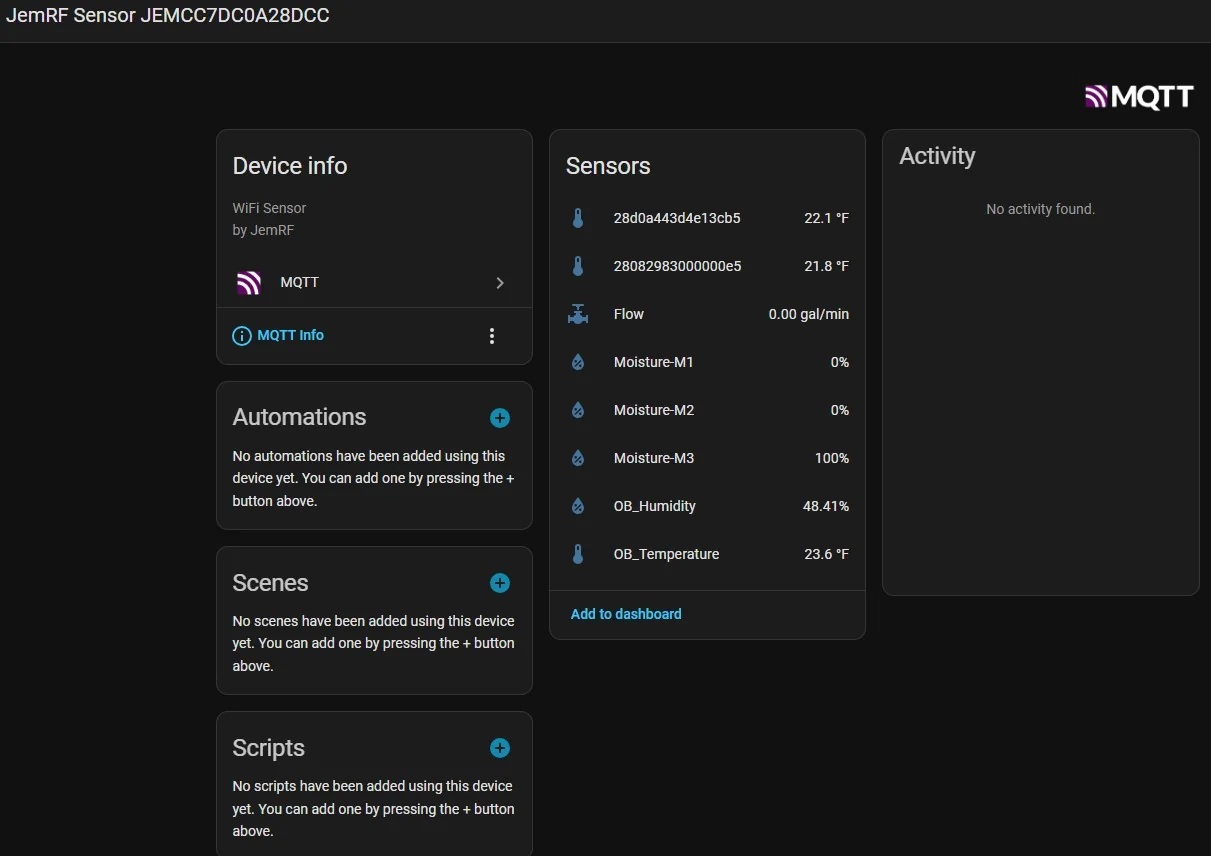
Inside Home Assistant MQTT Devices, the Greenhouse Monitor details look like:
Use case demo with Home Assistant
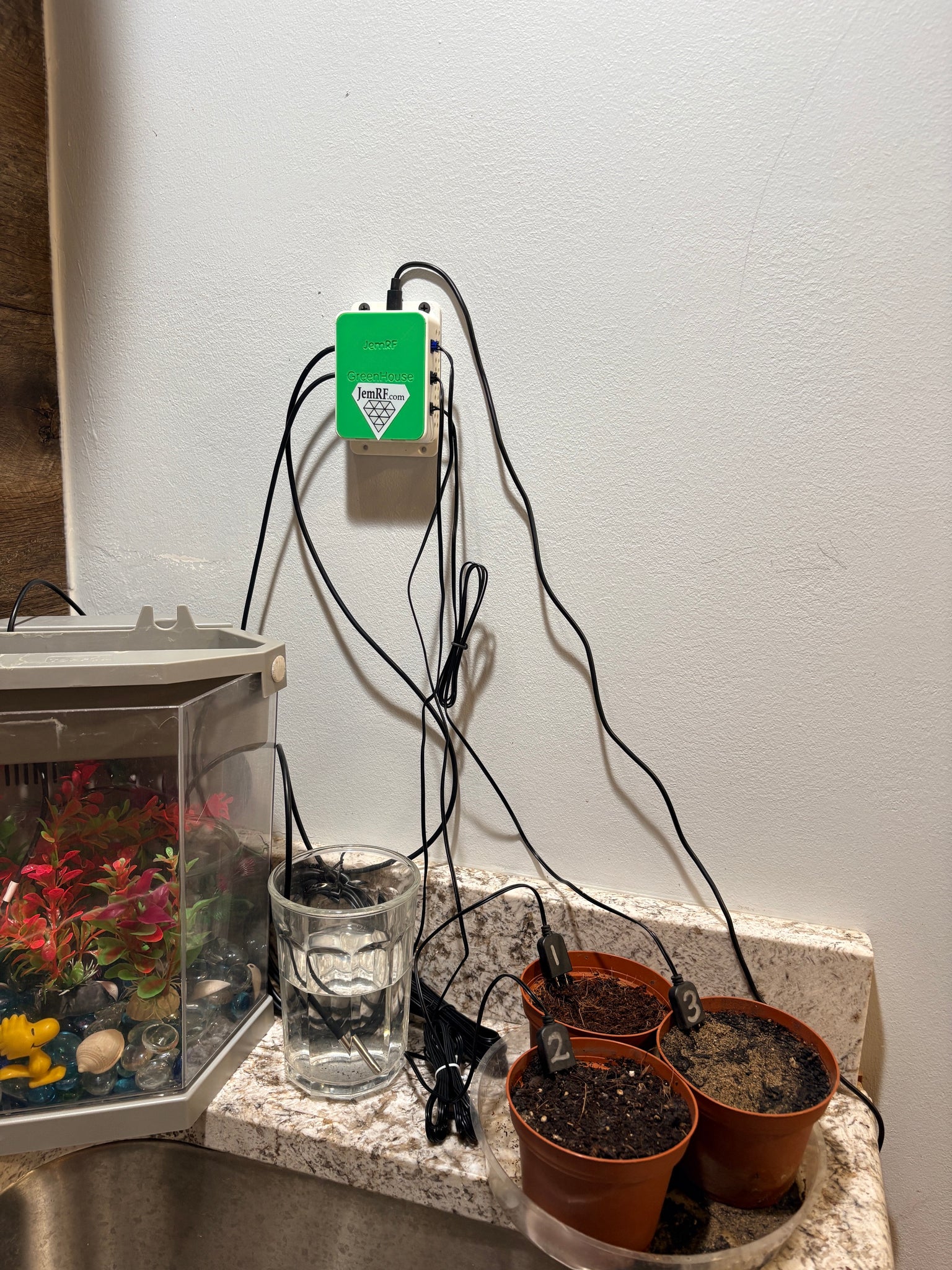
To show real world demonstration we filled three pots with different soils to show different Moisture characteristics, we put a temperature probe in our lab fish tank and use a glass of water for an alternate room temperature.
We then created a Home Assistant Green House Dashboard:
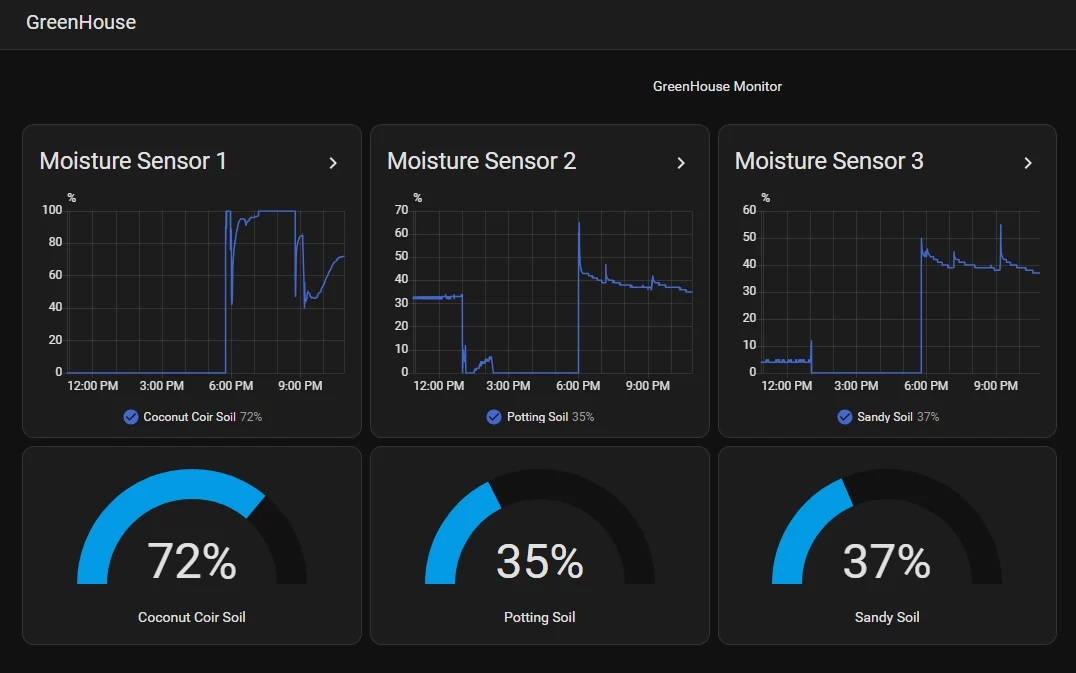
We will provide free to customers the Home Assistant Green House Dashboard Template customized to your Greenhouse Monitor and guide on how to include the Green House Dashboard in your Home Assistant, just contact Sales @ jemrf.com.
Required, but not included:
USB-C cable and USB power supply. We have USB-C cables at our store, (JemRF Store)[https://www.jemrf.com].
Tech Specs:
- Dimensions 74mm x 55mm x 28mm
- Powered either by a USB-C cable 5VDC.